TriByte for RTOs · Australia
Training that stays aligned. Evidence that stays connected.
Bring learning delivery, assessment, learner evidence, trainer feedback and operational visibility into one RTO-ready workflow—supported by DASH AI.
- Flexible evidence
- SMS integration
- Traceable activity
RTO delivery workspaceCertificate IV · Cohort 08Live
UNIT OVERVIEWAssessment & evidenceUpdated today
Unit alignment6 of 7 activities mapped
Knowledge evidenceQuiz · Short answer92%
Performance evidenceObservation · File upload76%
Assessment conditionsTrainer checklist84%
DASH AI3 learners show a repeated evidence gapOpen the cohort view to review attempts and plan follow-up.→
EV
NEW EVIDENCEVideo uploaded · Attempt 2Ready for assessor review
Built around RTO delivery
Keep requirements, delivery and evidence in the same conversation.
TriByte supports the learning and assessment workflows your RTO defines during discovery, helping teams connect course requirements with activities, submissions, decisions and follow-up.
Training package→Learning activity→Assessment→Evidence→Outcome & action
RTO requirements alignment
Make alignment visible before delivery begins.
Structure courses, units, learning resources and assessment activities around your approved requirements. Keep the relationship between what is taught, what is assessed and what evidence is collected clear for authorised teams.
- Map learning and assessment activities to defined requirements
- Connect assessment instruments, marking guides and rubrics
- Review coverage and gaps before publishing to learners
- Keep changes controlled through roles and review workflows
REQUIREMENTKnowledge evidence4 mapped activities Performance evidence3 mapped activities Assessment conditions2 mapped activities
DELIVERY & EVIDENCEScenario quizAuto + assessor marked Risk register taskDocument upload Observed presentationVideo + checklist
Product view
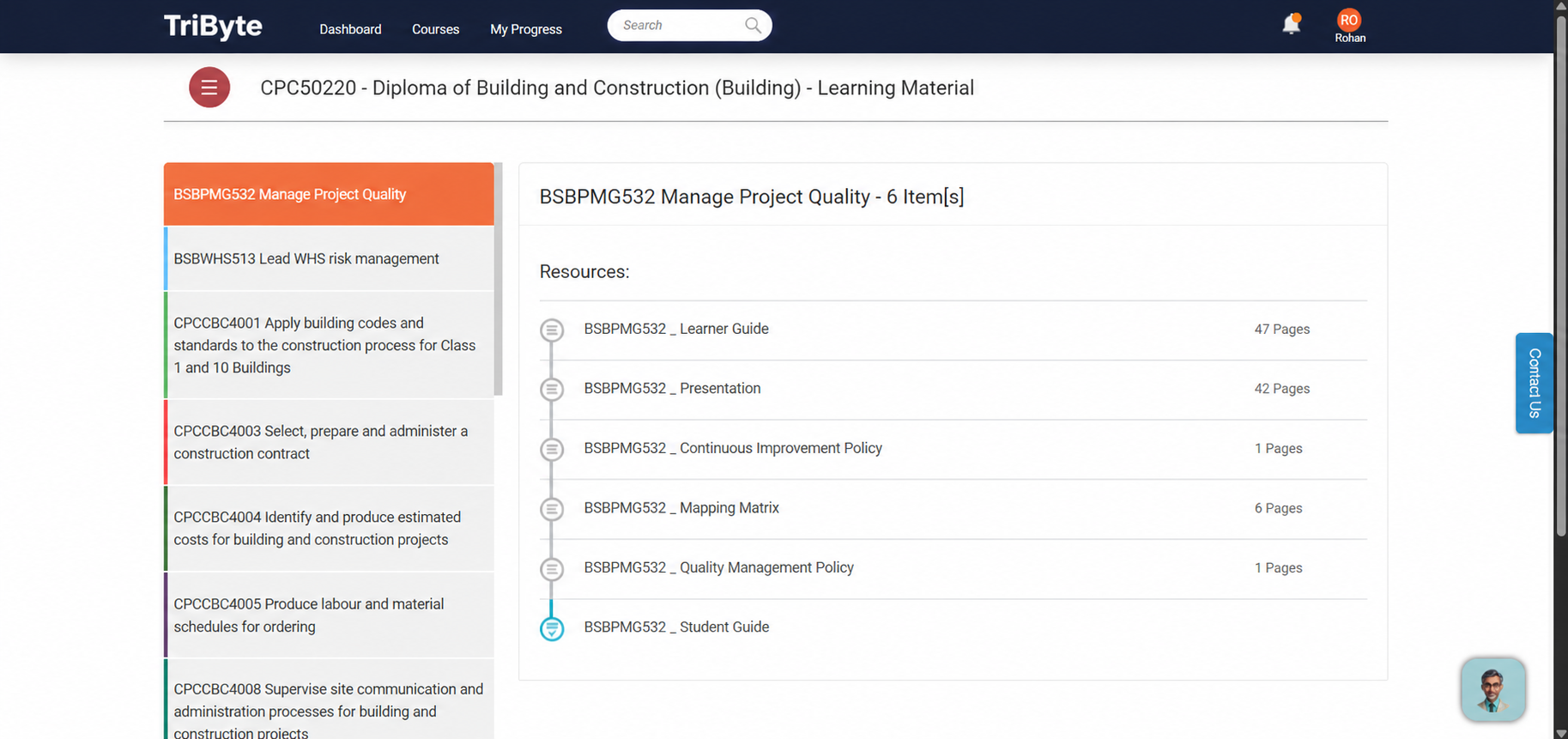
A clear course workspace for trainers and learners.
Course structure, learning activities and progress stay visible in one place, helping delivery teams move from requirements to day-to-day learning.
Flexible assessment & evidence
Collect the evidence the task actually requires.
Use objective, subjective, short-answer, long-answer and practical activities. Learners can attach documents, images, audio, video or other evidence, while trainers retain control of attempts, resubmissions, marking and feedback.
PRACTICAL ASSESSMENTWorkplace risk walkthroughAttempt 2 of 3
MP4
site-walkthrough.mp442.8 MB · uploaded 10:14 am
ReadyASSESSOR RUBRICIdentifies hazardsCompetentExplains controlsReviewCommunicates clearlyCompetent
Trainer feedback
Add one example of a control for the final hazard, then resubmit this section.
Product views
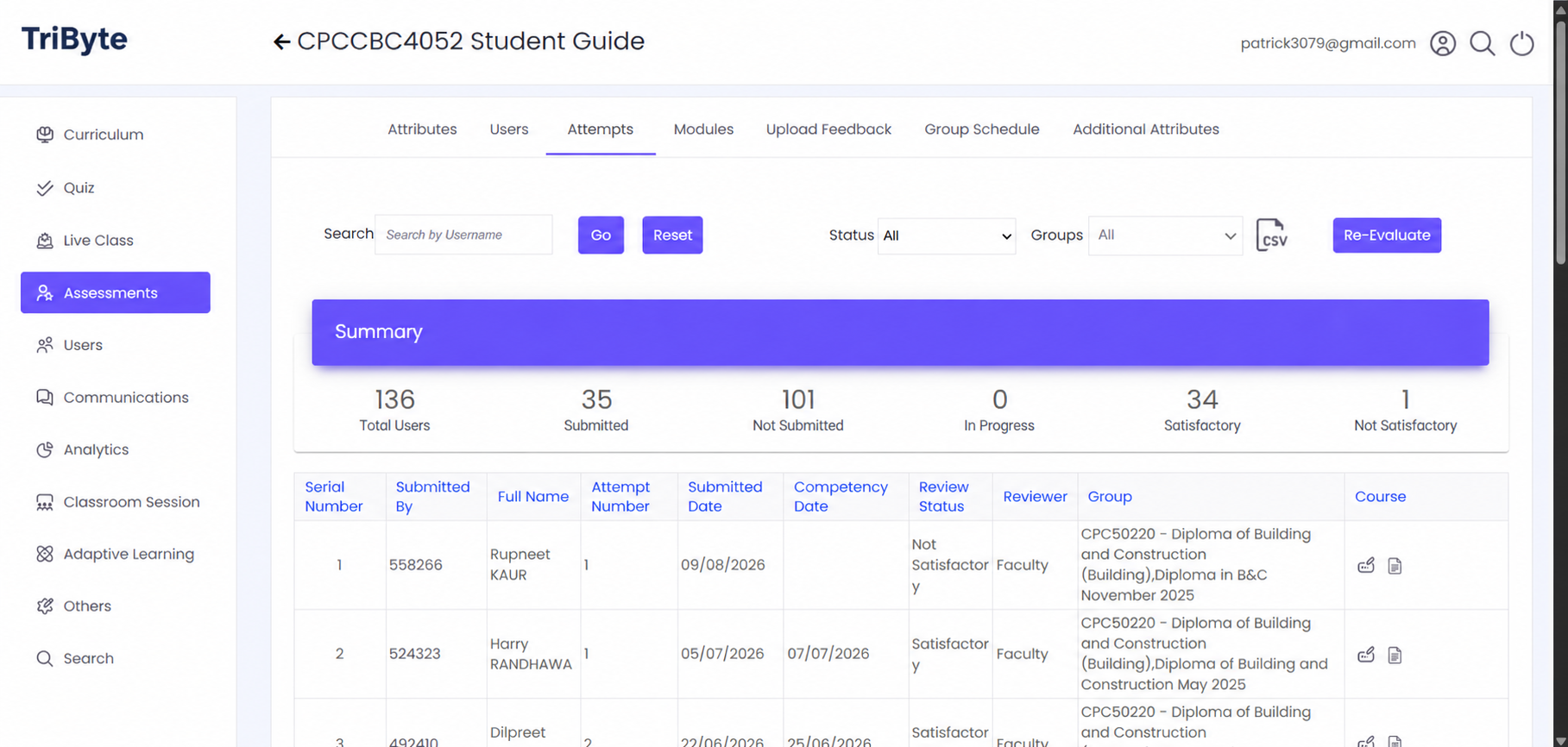
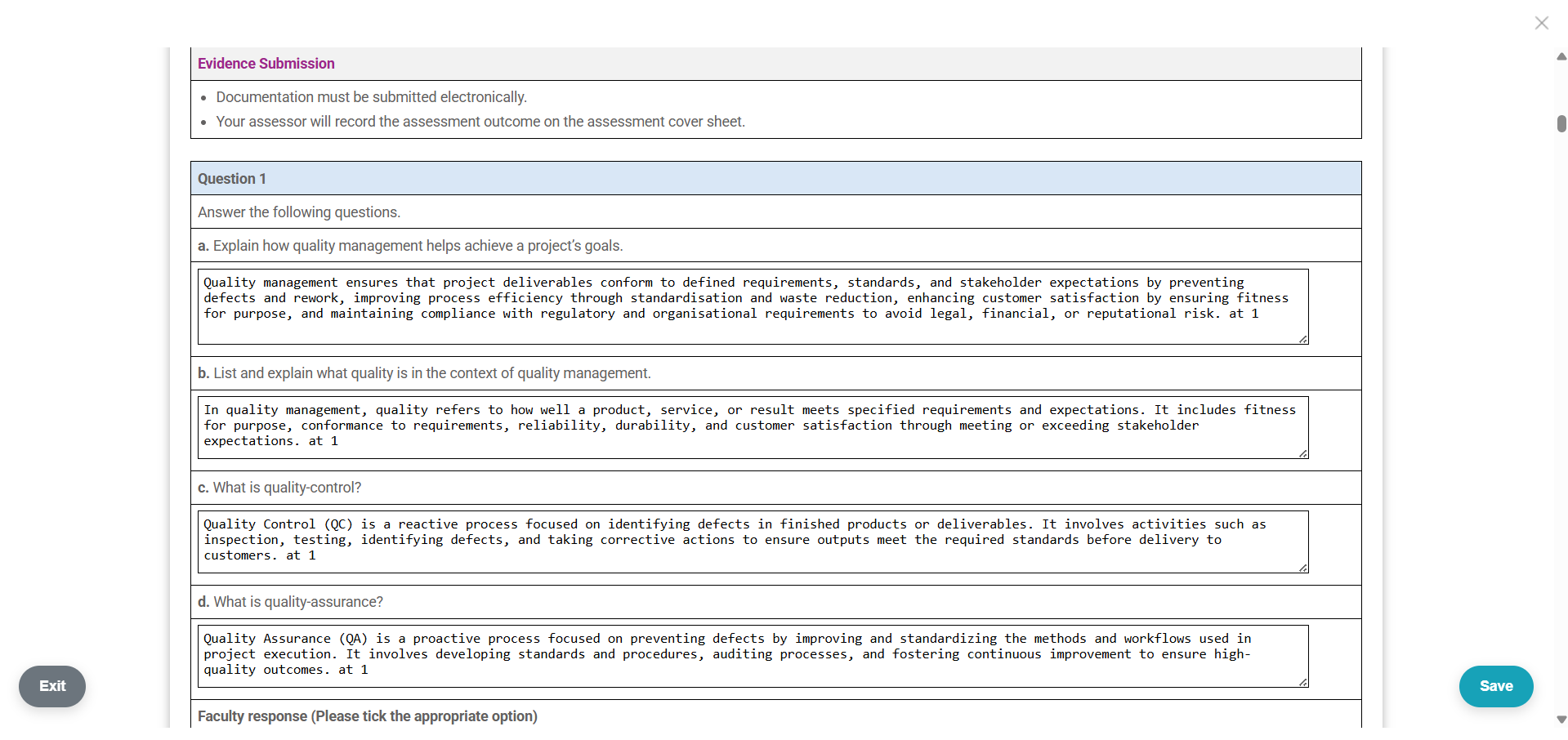
Follow assessment from dashboard to evidence submission.
Give trainers an operational view of assessment progress while learners submit the documents and evidence required for a decision.
Student Management System integration
Let each system do the job it owns.
API integration can synchronise learners and enrolments and support controlled exchange of marks, grades, completion status and agreed metrics. Data flows and system-of-record responsibilities are finalised during discovery.
LearnersEnrolmentsCourse status
→SECURE APIRules agreed in discovery←
ActivitiesEvidenceMarks & outcomes
Clear by design: integration scope, update frequency, validation rules, exception handling and data ownership are agreed before implementation.
DASH AI Content Studio
Create once. Explain clearly in every approved language.
Give trainers a practical starting point for course content, question banks, quizzes, assessment activities and notes—grounded in approved resources, adaptable for multilingual understanding and reviewable before release.
Learner companion
Answers learner queries from approved course resources, helping learners find explanations without leaving the learning context.
Trainer assistant
Creates and refines materials, assessment activities, question banks and supporting notes with trainer review built into the workflow.
Accessible multilingual content
Generates learner-friendly explanations in selected languages while keeping the original course context and trainer approval in place.
DASH AI Content StudioTrainer workspace
CREATE FROM APPROVED SOURCES
Build a practical assessment activity for identifying and treating two workplace risks.
Training resource.pdfAssessment guide.docx
Extract learning contextUses selected source material
DoneDraft the activityInstructions, evidence and conditions
DoneCreate marking supportRubric and assessor notes
ReviewDRAFT OUTPUTWorkplace risk assessment activityTrainer review required
Learners inspect a simulated workplace, document two risks, select appropriate controls and explain their decisions using the supplied evidence template.
InstructionsEvidence checklistRubricFeedback prompts
MULTILINGUAL UNDERSTANDINGGenerate an approved-language versionSource-grounded
Englishहिन्दीEspañolالعربية
Identify two workplace risks and explain how you would control them.
कार्यस्थल के दो जोखिमों की पहचान करें और समझाएँ कि आप उन्हें कैसे नियंत्रित करेंगे।
Language output supports learner understanding and remains subject to trainer review before publishing.
Inbuilt plagiarism checking + analytics & intervention
See the signal before you finalise the outcome.
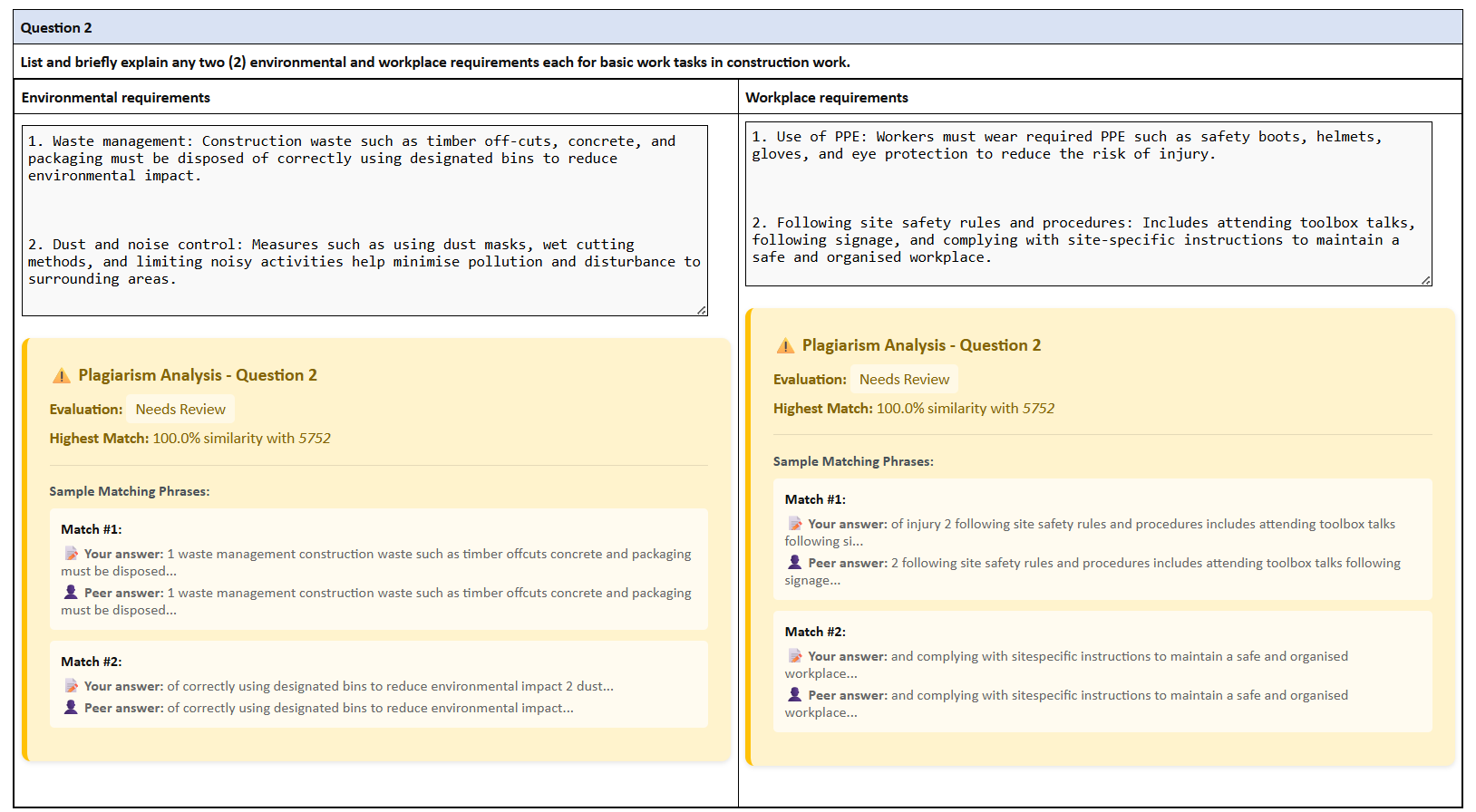
Content similarity and uniqueness indicators sit inside the assessment workflow for assessor review. Cohort dashboards then bring engagement, attempts, progress, marks, grades and follow-up needs into one operational view.
14%Similarity indicatorReview highlighted passages before making an assessment decision.
AK
Amelia K.2 overdue activities
HighNP
Noah P.Repeated unsuccessful attempt
ReviewOM
Olivia M.Engagement down 42%
WatchProduct view
Review similarity evidence inside the assessment workflow.
Assessors can review similarity indicators and the related submission context before they finalise an outcome.
RTO-relevant controls
Trace the learning and assessment story.
Support consistent delivery with the permissions, records and operational controls that help authorised teams understand what happened, when it happened and what needs to happen next.
Role-based access
Keep learner, trainer, assessor and administrator actions appropriately separated.
Assessment history
Retain attempts, decisions, feedback, resubmissions and timestamps in context.
Pathways & multi-campus
Support different cohorts, delivery modes, campuses and learner progression rules.
Activity logs
Give authorised teams a clearer record of learning and assessment activity.
Notifications
Prompt learners and staff around due work, feedback, follow-up and completion.
Mobile access
Let learners reach approved learning and assessment activities across devices.
Australian customers
Supporting education providers across Australia.
From focused programs to broad vocational portfolios, TriByte supports the learning and assessment models each provider operates.
Featured Australian customer
Edinburgh International College
A broad vocational portfolio spanning leadership, management and construction trades.
Visit EIC ↗SELECTED COURSE AREASLMLeadership & managementDiploma and advanced study CTConstruction tradesCarpentry, bricklaying and painting BCBuilding & constructionCertificate and diploma pathways



See TriByte in your RTO workflow
Bring one course, one unit or one assessment process.
We’ll show how alignment, delivery, evidence, integration and DASH AI can work around your organisation’s operating model.
Book an RTO demo